Guest Account
What is a Guest Account?
A guest account is a special type of user account that allows access to a computer system with a low-privileged, shared profile. It grants a default set of limited permissions and rights considered safe for limited access. It is important to note that guest accounts are not ephemeral based. However, depending on the implementation, they may be used for temporary identity access.
It’s common for users to enable a guest account on a computer (after all, it is built into Microsoft Windows and Apple macOS by default). This allows multiple people to use the same device without seeing other users’ activity or higher-privileged profiles.
However, when guest accounts are used in the cloud (e.g., a Microsoft Azure environment), their role and functionality provide more access and risks than just a local computer account. For the remainder of this post, we will be discussing guest accounts in this context.
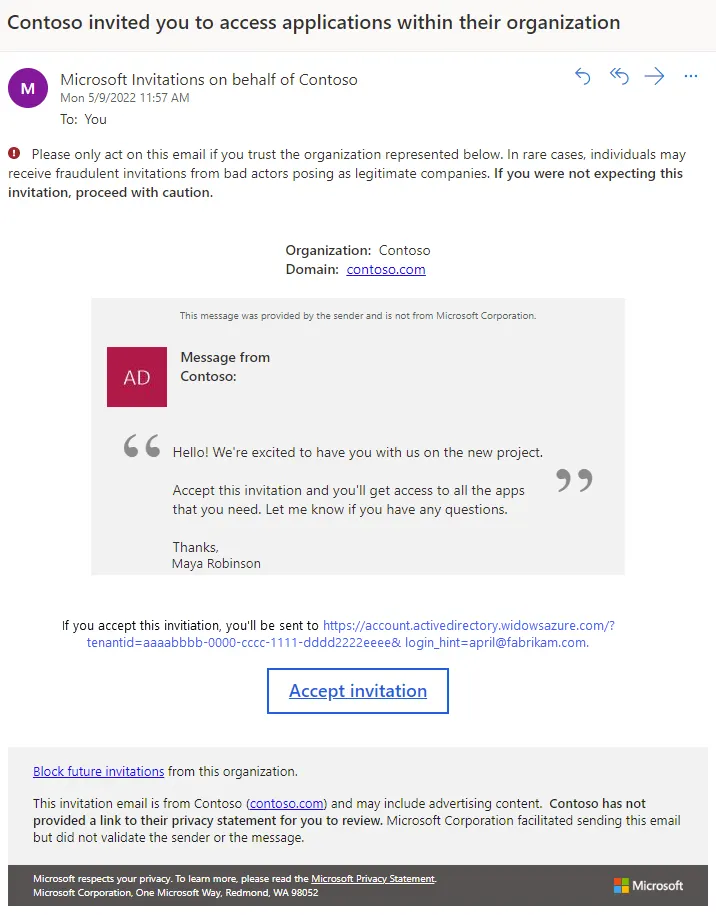
As an example of when a cloud guest account would be used, a team might want to invite an external partner or contractor into their Microsoft Azure environment. To do so, they could add a guest user via Entra ID, the identity and access management service within the Windows environment. This guest account’s access would be limited to the specific project or area that they need to see, and no more.
Guest Account
Guest Accounts | Standard Accounts | |
|---|---|---|
Access | Restricted access to certain files, folders, or other resources that have been explicitly shared or assigned to them. A guest account is often restricted to read-only access by default. | Access to all files, folders, and resources within the account’s assigned scope. |
Permissions | No permissions to view/change the wider environment or application, such as changing settings. | Some permissions to view/change the wider environment or application, based on the account’s specific roles. |
Resources | Inability to discover or view content or resources that have not been specifically shared with them. | Ability to search through various resources that are granted to them via role-based access control, group policies, etc. |
Timeframe | Often temporary, but not required, as it is granted to external parties for a specific function, project, contract, or some form of collaboration. | Often persistent, as users with standard accounts tend to be long-term, internal personnel at the organization. |
Although guest accounts are intended to ensure tightly restricted access, these accounts often exist outside of the normal purview of identity and access management (IAM) systems, making them a security blind spot. Plus, many teams assume these accounts are adequately limited in visibility and functionality and, therefore, don’t contain any pathways to escalate privilege or pose any other risks.
Are Guest Accounts Secure?
Guest accounts can pose unique security challenges that many organizations may not initially consider. For instance, guest accounts might lack common controls, such as multi-factor authentication or just-in-time access. Some systems also maintain stale guest accounts indefinitely, making them easier for administrators to forget about or overlook. This is especially true when they are enabled locally on systems for a specific access requirement.
For the above reasons, guest accounts can be easy targets for threat actors. Once an attacker can compromise a guest account, whether through session hijacking, single-factor authentication (e.g., a successful password spray attack), etc., they can then use this account to move laterally, initiate a malware attack, or leverage other attack vectors.
Guest accounts pose an insidious risk, as organizations assume guest accounts are already adhering to the principle of least privilege and possess little to no visibility into the rest of the system. However, attackers are finding novel ways to circumvent guest account controls and exploit them.
Guest Account Attack Example: Entra B2B Guest Threat Model
While common in a variety of operating systems, software, etc., guest accounts can pose unique security risks within Windows environments. For instance, BeyondTrust’s Phantom Labs uncovered a guest account-related attack vector that takes advantage of Entra ID guest accounts. An attacker can use this vector with the following steps:
Gaining control of a user with a billing role that can create subscriptions and then creating a subscription with these permissions, or signing up for an Azure free trial (this makes them the owner of the subscription on their own one-person tenant)
Getting into the target system via a guest account invite. They will be able to use this target system with an “owner” designation because they have control of a new subscription.
Using this level of “owner” privileges to perform illicit actions, such as enumerating a list of root management group administrators, modifying or disabling Azure policies, or performing other actions that escalate privileges further.
Essentially, this “loophole” within Entra ID’s guest accounts enables attackers to gain an unexpected level of admin rights, allowing them to view sensitive information about admins, make changes to the broader Azure environment, and more. This is just one example of a potential vulnerability related to guest accounts when enabled in cloud environments.

Are there hidden privilege escalation pathways lurking in your environment?
Discover over-privileged guest accounts, and other potential escalation pathways, with a no-cost identity security risk assessment
Guest Account Security Best Practices
To prevent misuse or exploitation of guest accounts, organizations should enforce the following security best practices for creating and maintaining guest accounts, whether instantiated in the cloud or locally on an asset:
Gain visibility into which guest accounts exist across your organization, including within cloud environments, endpoints, identity providers, and SaaS applications.
Extend foundational security controls such as multi-factor authentication to guest accounts.
Regularly audit guest accounts within your environment. Remove or disable guest accounts no longer needed by users.
Set just-in-time controls for guest accounts, which ensure that they expire after a set period of time rather than remaining always-on indefinitely.
Harden guest controls as much as possible within each environment. For instance, guests should not be able to invite other guests or perform anything that could lead to privileges (e.g., creating subscriptions by default, such as in the above example).
Implement session monitoring to ensure that guest accounts do not perform any abnormal actions.
Define what guests can/cannot do from the outset, implementing the principle of least privilege and just-in-time access for every guest.