

Remote Support Permissions That Change Dynamically Based on the Scenario
With most remote support software, session controls are limited, being overly broad and lacking detail. BeyondTrust, on the other hand, gives administrators more than 50 permissions to define how reps, customers, and remote systems interact at a very granular level.
BeyondTrust's support session policies are dynamic, bringing additional flexibility to already-powerful security measures. Admins can customize support session permissions to fit a variety of support scenarios.
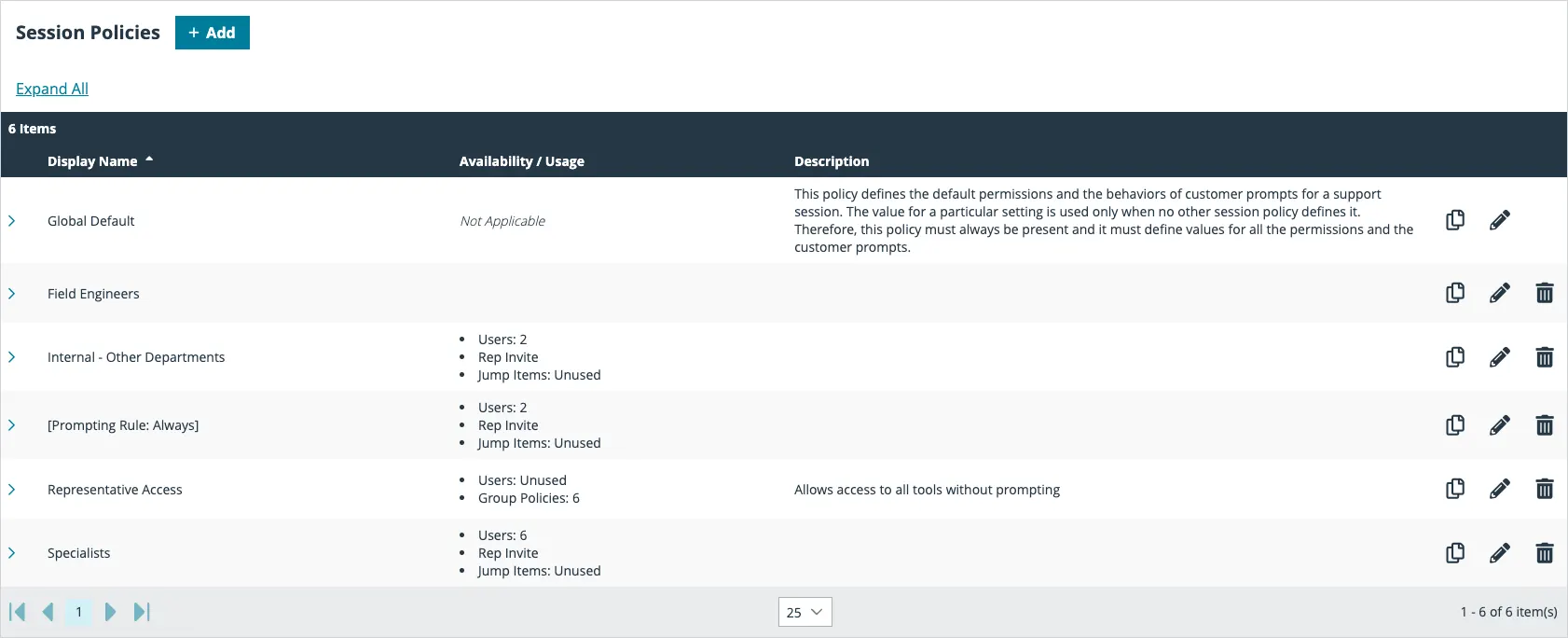
Support session policies let you change the permissions allowed in a remote support session based on the support portal the customer came through or even the specific endpoint being supported.
Use Support Portals to Define Support Session Policies
Your support organization serves a variety of customers and business units, each with its own requirements around remote support.
Some customers want you to resolve their issues as quickly as possible. They may want you to start support sessions with full remote control enabled.
Other customers are more concerned about security and defined procedures. They may prefer you start support sessions in view-only mode and prompt for permission before taking any action on their systems.
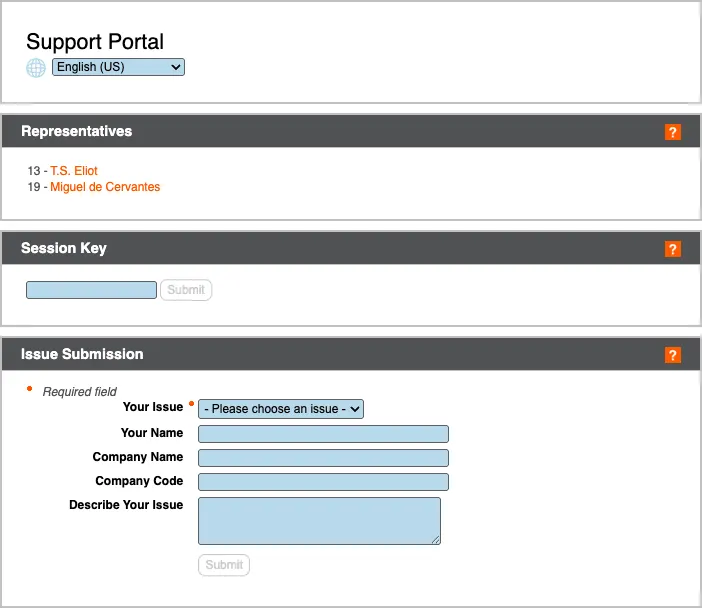
BeyondTrust Support Session Policies let you accommodate the needs of both groups by defining portal-specific permissions for each client.
Use Endpoints to Define Support Session Policies
BeyondTrust Jump Clients enable remote unattended access to computers and servers.
Using Jump Clients to access servers and backend systems allows you to launch right into remote control, as no one is present on the other end of the server for you to interrupt. But when you access remote desktops, you may want to display a prompt in case an end user is present.
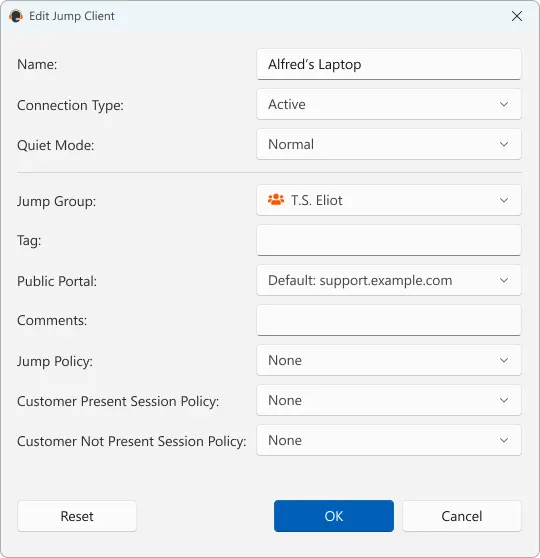
To adjust to these different scenarios, BeyondTrust’s Support Session Policies enable you to define how a session begins based on the endpoint being supported.
With policies at the Jump Client level, you can choose to display a prompt if an end user might be present at the remote desktop you are servicing. If the endpoint is a server, you can set the session policy up with no prompt.
Learn more about using Jump Clients for remote access.
Define Support Session Policies for Representatives
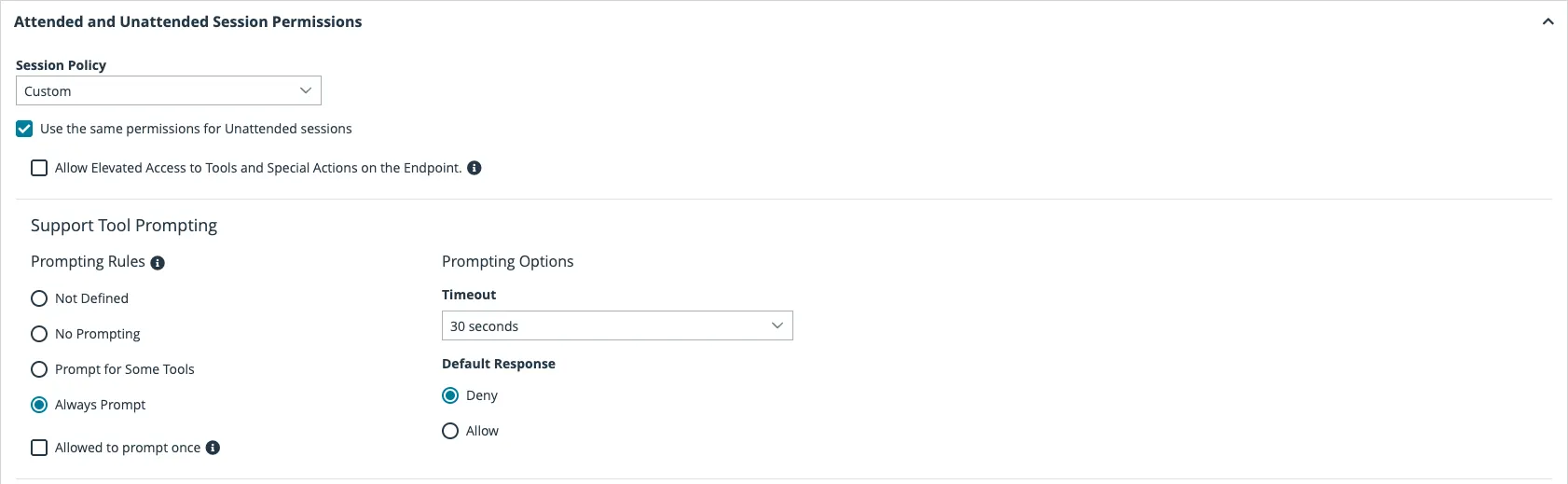
You can also assign session policies to support representatives. Representative policies can impact both attended sessions, where an end-user is expected to be on the remote desktop, and unattended sessions, which usually involve servers, point-of-sale systems, kiosks, or unmanned remote desktops.
You can define policies for attended and unattended sessions separately. Attended session policies apply to ad-hoc screen sharing sessions and sessions started via BeyondTrust Button. Unattended session policies apply to sessions started through a Jump Client, Jumpoint, or local Jump.
Public Portal Authentication
Add an extra layer of security by requiring authentication for users accessing the Public Portal online. By using Security Assertion Markup Language (SAML), an open standard for exchanging authentication and authorization data between parties, your service desk representatives can gather information about users requesting support, such as their name, login name, and a recognizable email, before starting a session. This not only eliminates the inconvenience of the user having to provide these details when the session starts, but it also gives your service desk representative confidence in the identity of the person for whom they are providing support. This is an optional feature to ensure our customers are providing the most secure remote support possible. By validating authentication, users and admins can gather additional data to satisfy internal and external compliance requirements.