

BeyondTrust Bolsters Market-Leading Endpoint Privilege Management for Windows & Mac

BeyondTrust Bolsters Market-Leading Endpoint Privilege Management for Windows & Mac
The latest release of Privilege Management for Windows and Mac delivers enhancements for macOS, including TouchID support, messaging, and BeyondTrust Password Safe integration. Features now available in cloud deployments include a new user interface, SIEM integration, and a compliance dashboard. We expand on the highlights in the blog below. You can also check out the What’s New documents here for more details:
New Features Available both On-premises and in the Cloud
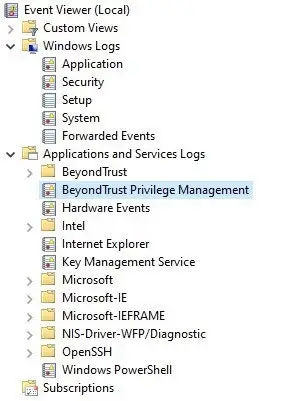
Custom BeyondTrust Event Log
Privilege Management customers who rely on raising events to the local Windows event log can now log privilege management events to a dedicated BeyondTrust event location as an alternative, to avoid saturation of the Application event log.
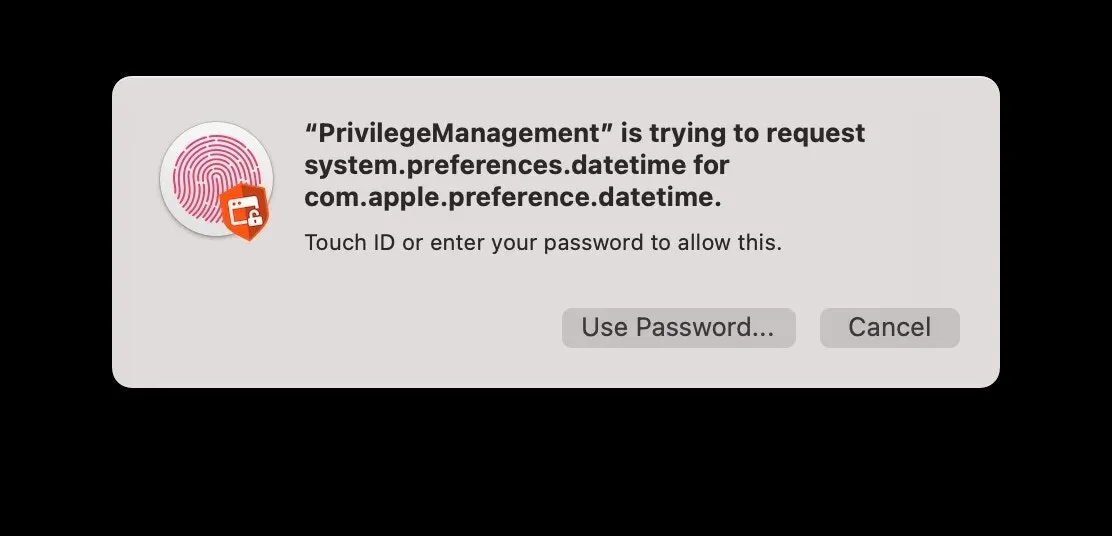
TouchID Support for Mac
Organizations that want to provide end users with a seamless and familiar experience can now do so with the introduction of TouchID support in end user messages. When users are prompted to authenticate prior to running an application, they can now use their TouchID-enabled device instead of a password to quickly authenticate themselves.
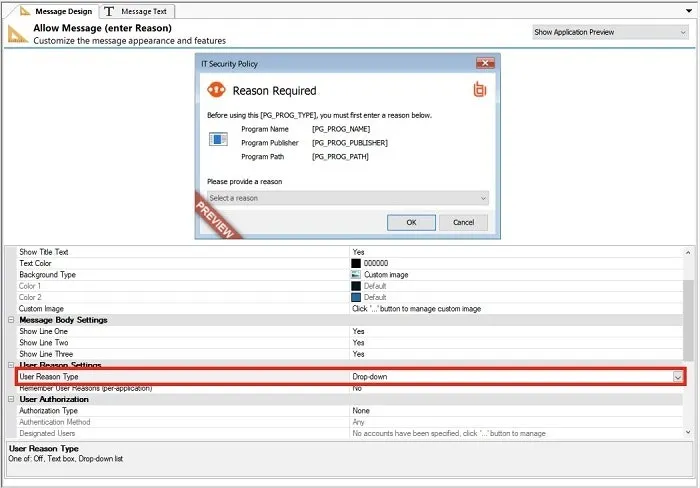
Message Dropdowns for Privilege Management for Mac
For organizations that require their users to provide justifications for ‘why’ certain applications are being used, this new feature lets users pick from a predefined list of reasons, as an alternative to typing out a reason. This not only gives users a more convenient way of submitting common reasons more quickly, but also helps administrators in analyzing reasons for using applications, with a consistent set of reasons from which to build reports.
New features available for Privilege Management Cloud
Completely New User Interface
Privilege Management Cloud 21.3 includes an all-new user interface, bringing the product up- to-date with the BeyondTrust brand and UI standards.
Within this new UI, we have added a number of smaller features and enhancements to improve the user experience:
Improved grid filtering
Customized grid column layouts are now saved between sessions
Improved configuration settings
Improved user roles layout and new permissions comparison screen
Improved Global Search
Many other enhancements
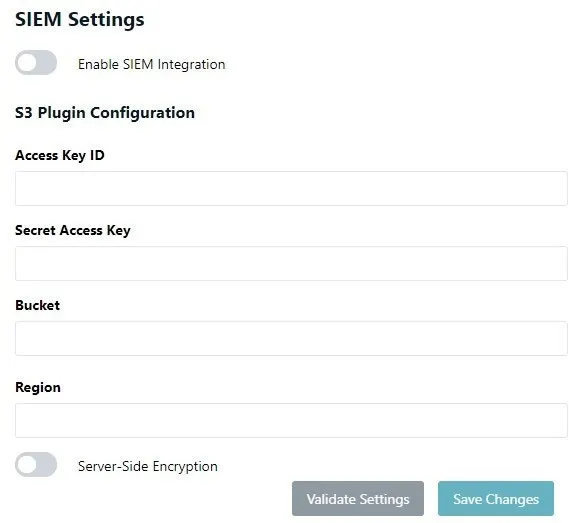
SIEM Integration for Endpoint Event Data
For customers who require the ability to import data from their Privilege Management Cloud instance into their SIEM tool, Privilege Management Cloud 21.3 introduces SIEM Integration for Endpoint Event Data.
The first release of SIEM integration allows the endpoint audit event data (considered the critical dataset for a SIEM tool) to be forwarded to an AWS S3 bucket belonging to the customer.
This allows numerous subsequent options for this data, including native integration with the majority of SIEM tools. By taking this approach, Privilege Management Cloud offers a very modern and flexible means of integrating endpoint audit event data into other tools, as S3 buckets are now a ubiquitous tool for these kinds of use cases. Connection to the S3 bucket is configured within the Privilege Management Cloud platform.
Compliance Dashboard Homepage
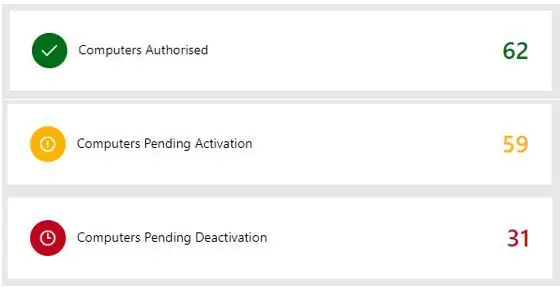
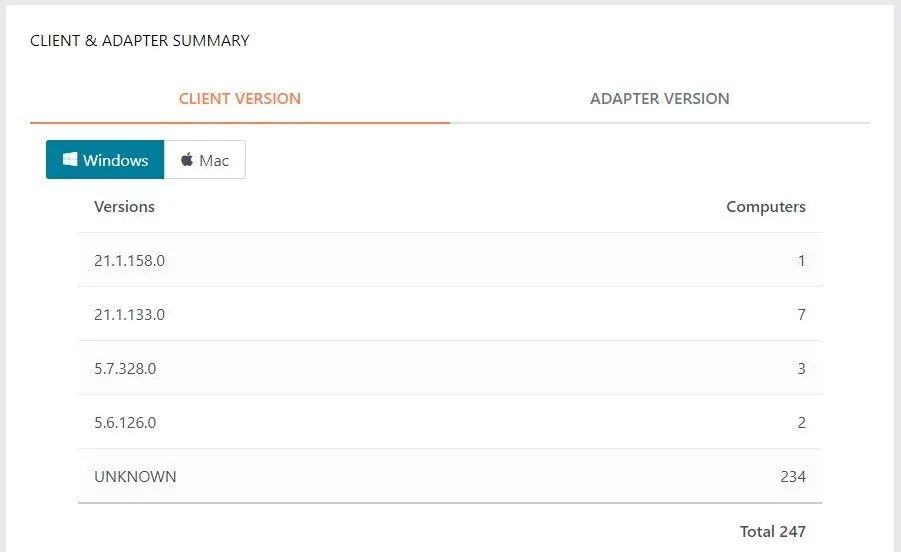
Privilege Management Cloud 21.3 allows customers to have at-a-glance information available to help them properly respond to potential issues. Users can quickly and easily see if machines are on the wrong policy, potentially on out-of-date software, or due to deactivated accounts. The three core areas include:
1. Computer Status Summary: Easily see authorized, pending, and soon-to-be deactivated computers:
2. Computer Policy Summary: The policy summary allows rapid insight into whether or not endpoints are running the expected policy. View across all groups.
3. Client & Adapter Summary: It can be challenging to determine whether or not endpoints are running the correct client and adapter software. Our new summary tables provide clear visibility into this information for both Windows and Mac computers.
Web Policy Editor – Messaging v1
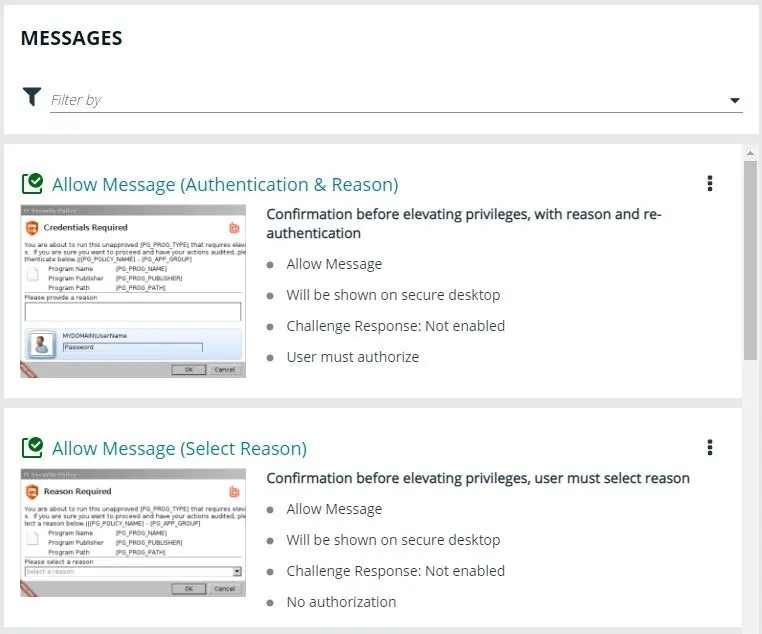
In this release, we added the ability for users to customize the messages their end users will see. The first phase provides users with a list/preview page giving an at-a-glance preview for each message type.
New features available in Privilege Management for Mac (On-Premises)
Offline Rotation of Passwords for Privilege Management for Mac
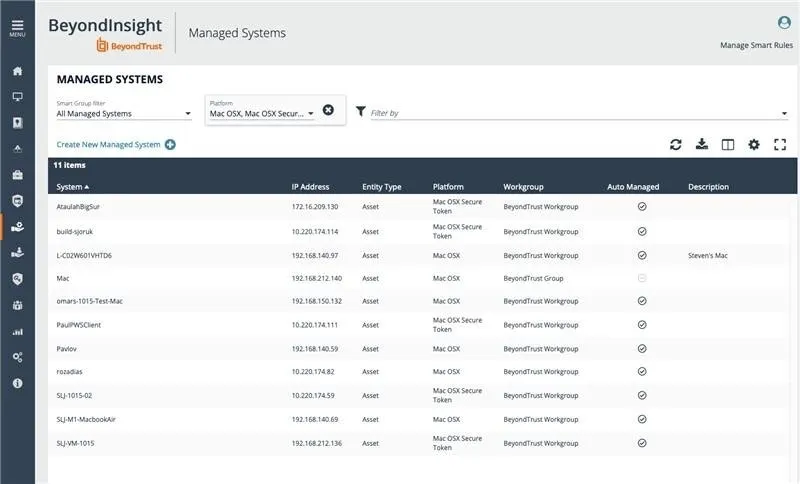
For those Mac endpoints under Password Safe management that are not connected to the corporate network, Privilege Management for Mac introduces the ability to apply local account password rotations on behalf of Password Safe, via BeyondInsight. This use case helps organizations continue to manage credentials on endpoints for users who are working in remote locations.
Based on a configurable heartbeat, Privilege Management for Mac checks in with Password Safe to check for any account passwords that require rotation, applies the change, and verifies that the change was successful.
About BeyondTrust Endpoint Privilege Management
BeyondTrust Privilege Management for Windows & Mac (PMWM) is a preventative endpoint security solution that removes excessive admin rights, applies pragmatic application control, enables passwordless administration, and gives users just enough privileges to do their jobs and be productive. Available on-premises or in the Cloud delivered as SaaS, the solution blocks malware and ransomware and protects against both external and internal threats.
Some benefits and key differentiators for BeyondTrust Endpoint Privilege Management include:
QuickStart Templates: Implement least privilege policies in days, not months - working effectively for every role and across Windows and Mac systems, with flexible, out-of-the-box workstyle templates
Trusted Application Protection: Stop attacks involving trusted applications, catching bad scripts and infected email attachments. Immediately stop trojan horses, fileless attacks, and more with pre-built templates.
Pragmatic Application Control: Get control over what users can install or run back into the safe hands of IT, with automated exception handling. This helps eliminate malware and ransomware threats.
Passwordless Administration: Perform administrative functions on an endpoint--without the need for privileged or administrator credentials. This eliminates the biggest and most prized attack vector sought by threat actors.
Open Integrations Framework: Utilize PowerShell scripts with Power Rules to automate workflows, create custom behaviors, or build integrations with ITSM solutions and other tools.
Enterprise Auditing and Reporting: Provide a single audit trail of all user activity to streamline forensics and simplify compliance, using graphical dashboards and reports for quick access.
To learn more about Privilege Management for Windows and Mac, or view a demo, visit:
https://www.beyondtrust.com/privilege-management/windows-mac