Remote Access Built for the Service Desk
Use BeyondTrust Jump Technology to access and control remote, unattended computers in any network. Test it out with a free trial.
- Access unattended Windows, Mac, and Linux computers.

- Use RDP, VNC, and SSH securely—no VPN needed.
- Launch remote access directly from your ITSM platform of choice.
Support Servers and Unattended Remote Desktops
Not every support scenario has an end-user present at the remote computer.
BeyondTrust Remote Support includes Jump Technology, a patented feature that grants access to unattended remote computers and networks. With a per-concurrent-technician licensing model makes it a cost-effective way to reach every device managed by the service desk.

Remote Computer Access
Access remote desktops, laptops, POS systems, kiosks and servers, even if no one is present to give control and regardless of network location.
Remote Network Access
Access every Windows desktop and server in a remote network from one node, and use RDP, VNC, and SSH securely without the need for a VPN.
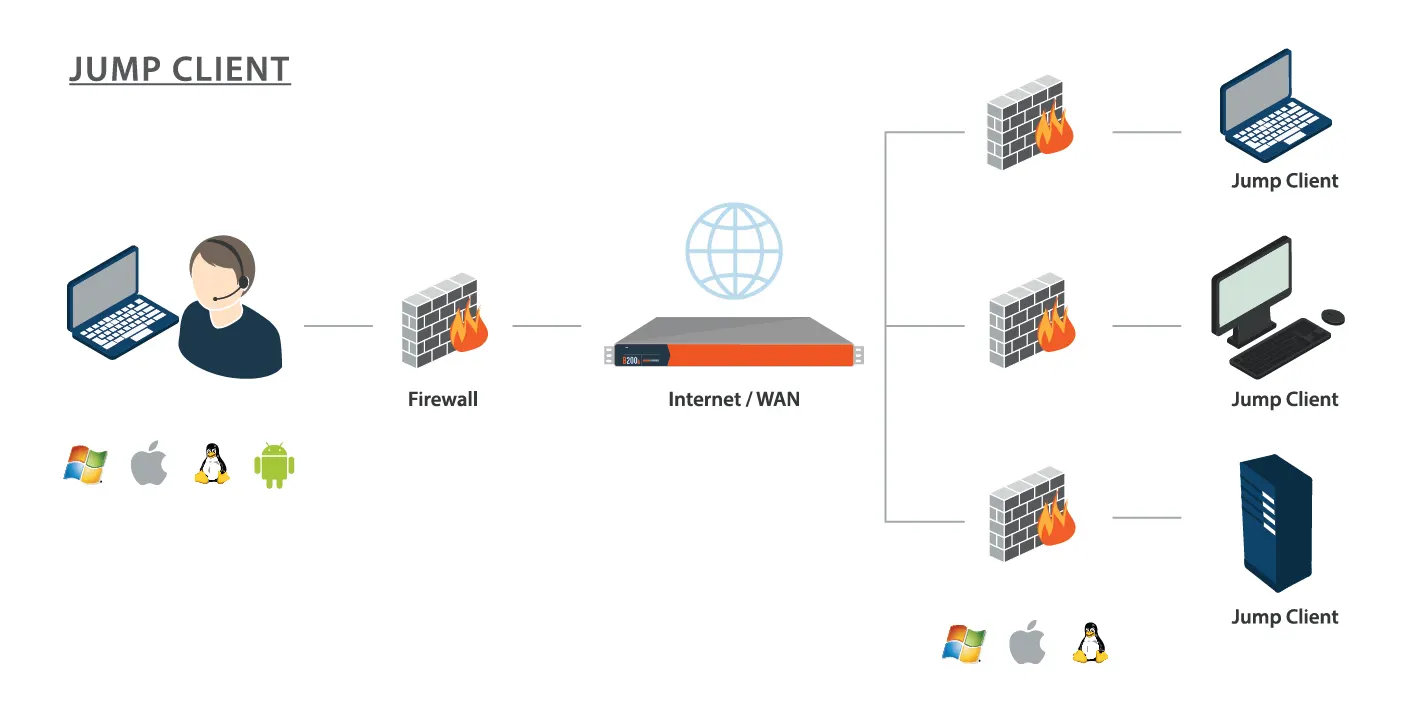
Access Remote Computers with Jump Clients
As the central feature of BeyondTrust's patented Jump Technology, Jump Clients allow the control of remote computers whenever they're connected to the internet. This makes them ideal for initiating remote access, even when you don’t control the remote network.
By installing a Jump Client on each system you need to access, and you’ll be able to control it wherever it goes.
Technicians can then access remote computers—without requiring the person on the other end of the connection to be technical.

Access Remote Networks with Jumpoints
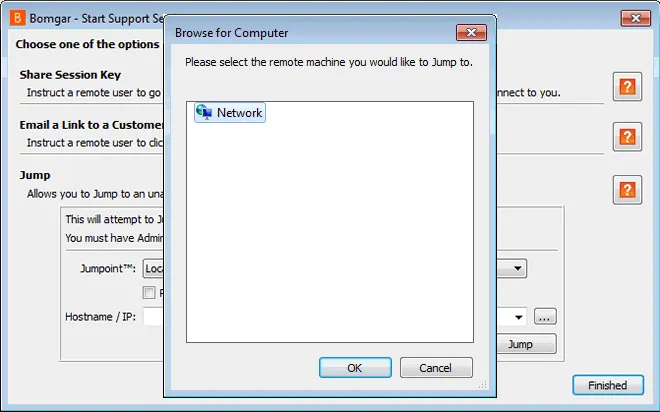
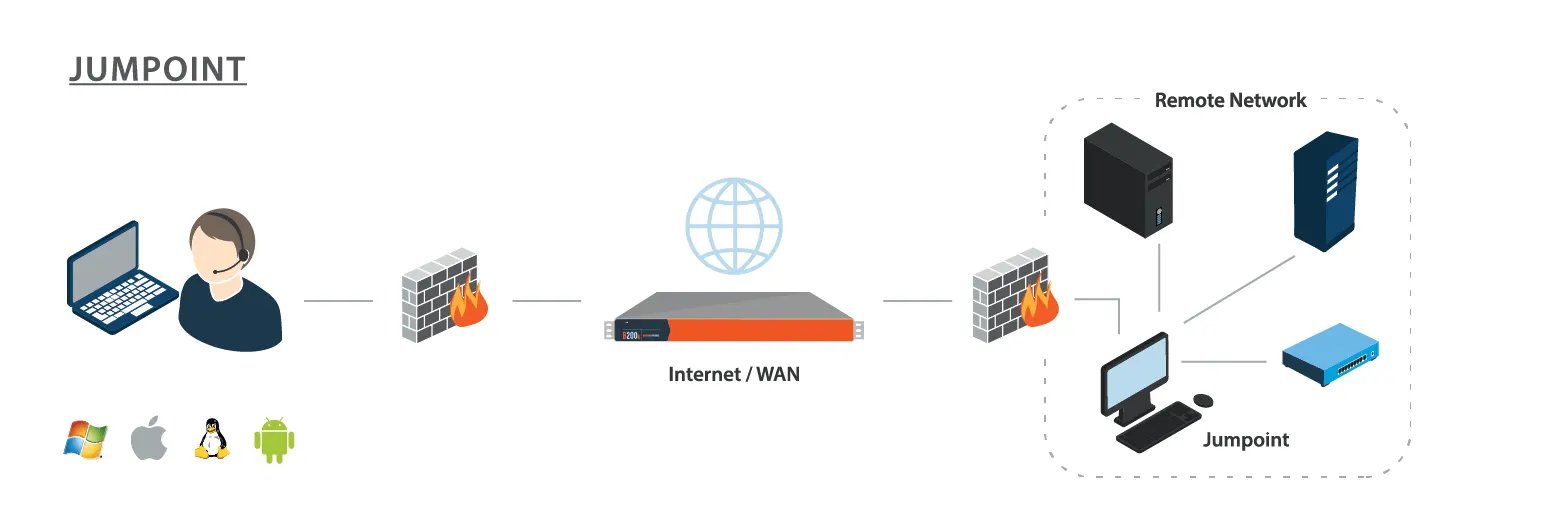
Jumpoints act as a conduit for unattended access to computers on a known remote network. A single Jumpoint installed on a computer within a LAN is used to access multiple systems, eliminating the need to pre-install software on every computer you might need to access.
Within a LAN, the BeyondTrust user's computer can initiate a session to a Windows system directly without using a Jumpoint, if appropriate user permissions are enabled. This is called a Local Jump. Jumpoints are only needed for a Remote Jump (when the BeyondTrust user's computer cannot access the target computer directly).