

macOS Finder RCE Vulnerability & How Privilege Management for Mac Can Mitigate It


macOS Finder RCE Vulnerability & How Privilege Management for Mac Can Mitigate It
The SSD Advisory in macOS Finder RCE, discovered last month by independent security researcher, Park Minchan, underscores the need for having application control on macOS. This macOS Finder system vulnerability allows remote attackers to trick users into running arbitrary commands.
The macOS Finder allows files with the extension inetloc to execute arbitrary commands. These files can be embedded inside emails. If the user clicks on the file, it will execute the commands embedded inside them without providing a prompt or warning to the user, which means applications and scripts can be run without the user knowing, potentially compromising the system
Application control, provided by a third-party solution, complements the existing security measures of macOS with important controls over what applications can run on the system. This is accomplished by configuring a list of rules in the solution policy.
BeyondTrust Privilege Management for Mac combines privilege management and application control capabilities and integrates with the subsystems of macOS. The BeyondTrust solution enables our customers to control what applications can run on a macOS system, based on a policy distributed from a management platform onto an endpoint.
Taking the POC off the SSD Advisory – “macOS Finder RCE” exploit as an example. The exploit targets the end user to open an “.inetloc” file containing a command to open Calculator App (shown in Figure 1 below).
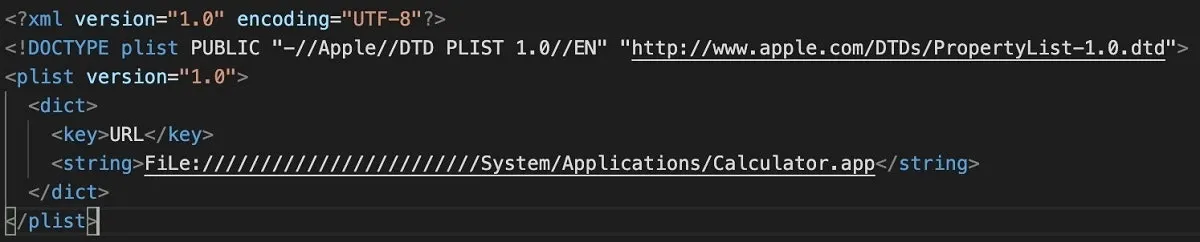
Without Privilege Management for Mac installed, Calculator.app will be launched when the end user opens the file inetloc.inetloc:
With a policy that provides application control for Calculator.app, Privilege Management for Mac will detect Calculator.app being launched, indirectly by the user opening inetloc.inetloc, and can control whether the application is launched or not.
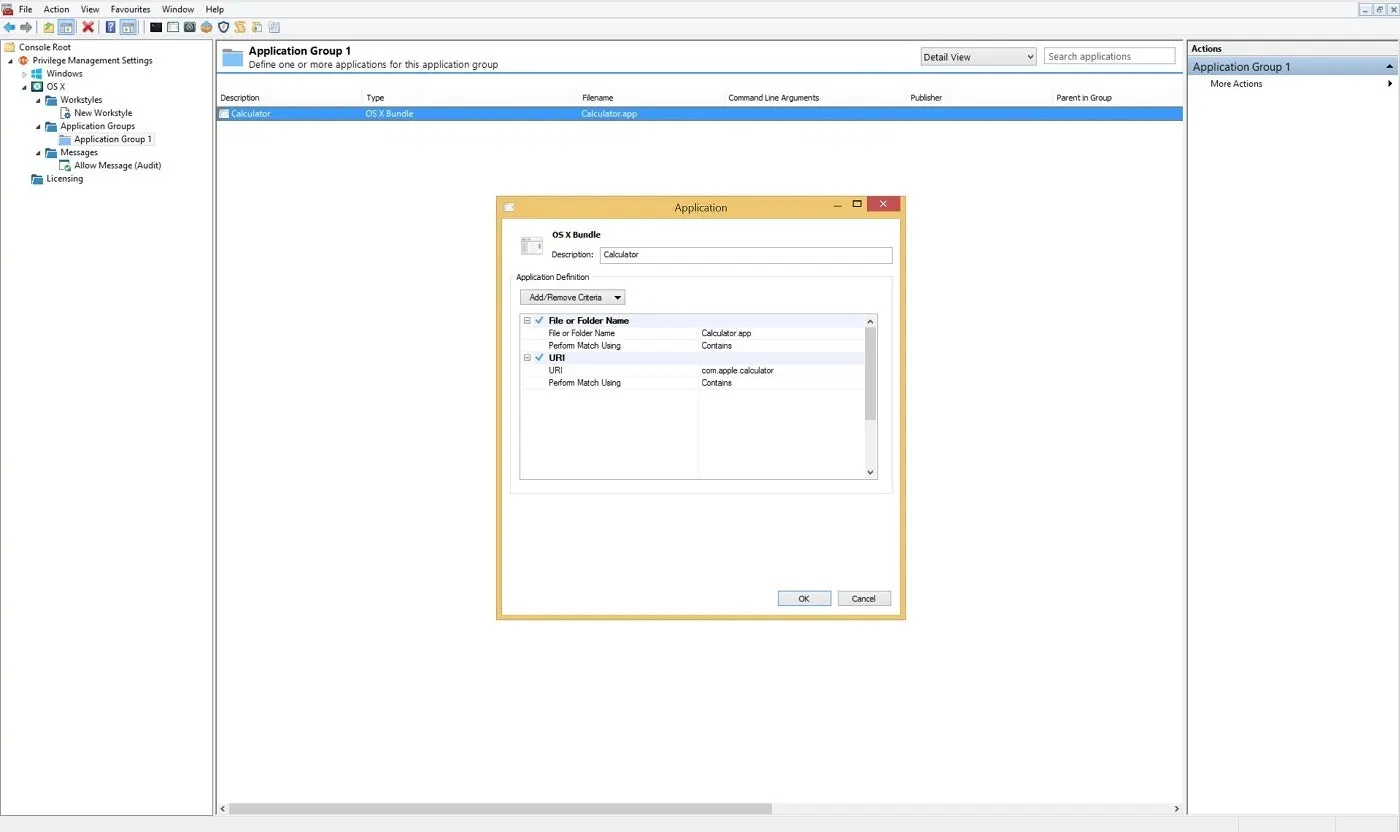
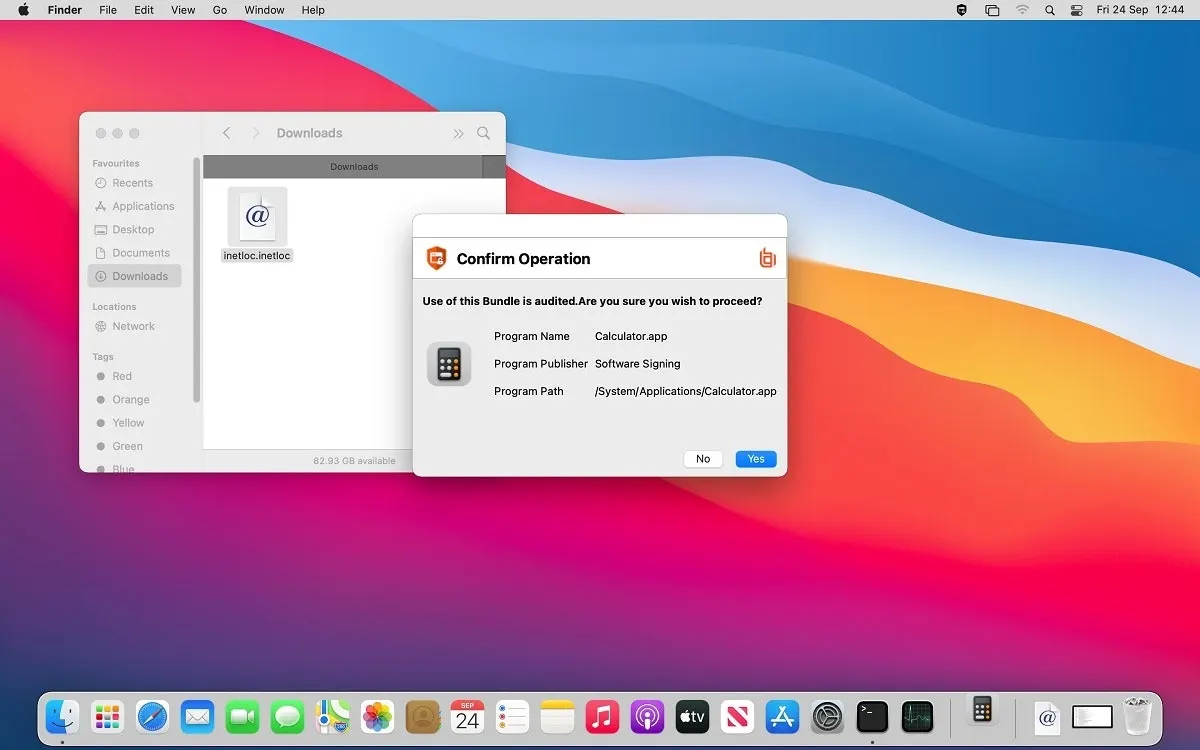
A well-configured allow-listing policy implemented via Privilege Management for Mac protects end users—whether standard or administrator—from threats such as the macOS Finder system vulnerability. The solution also audits events to identify and alert on any attempts to launch “unexpected” programs.
Using Privilege Management for Mac, an administrator can support a zero trust approach for their Mac endpoint security estate.
To learn more about Privilege Management for Mac, contact us today.