Privileged Remote Access Appliance & Deployment
Watch a 5 minute demo of Privileged Remote Access to learn how it works.
Watch Demo
Privileged Remote Access Deployment
Contact us to discuss which deployment option is best for your organization.
BeyondTrust Cloud | Virtual Appliance | |
|---|---|---|
Endpoint Capacity | Up to 250,000 endpoints (possible with Atlas) | Up to 125,000 endpoints (dependent on self-managed infrastructure) |
User Capacity | Up to 3,000 concurrent users (possible with Atlas) | Up to 1,200 concurrent users (dependent on self-managed infrastructure) |
Redundancy | Failover and high availability automatically managed by BeyondTrust | Failover capable, customer-managed |
Authentication | SAML, LDAP, FIDO2, RADIUS, Kerberos | SAML, LDAP, FIDO2, RADIUS, Kerberos |
Integration |
|
|
Deployment | BeyondTrust Cloud SaaS (AWS-hosted) |
|
About BeyondTrust Appliances
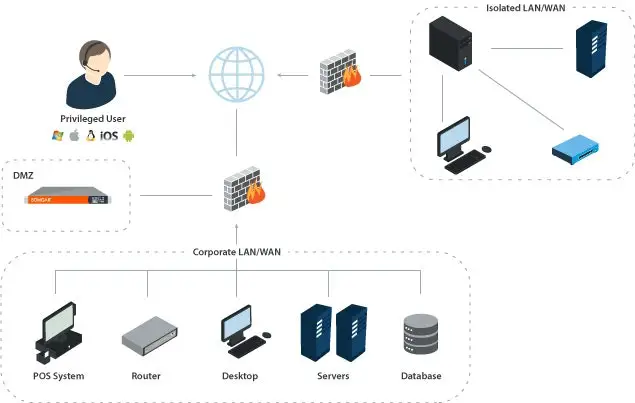
BeyondTrust virtual appliances do not require changes to your firewall because both endpoints and privileged users connect to the appliance through outbound connections. That means that if the remote desktop or server can connect to the internet, your off-network users can connect to it through BeyondTrust without the use of VPN.
Privileged Remote Access also enables remote sessions within a local area network. In most cases, a remote desktop connection can be established without deploying remote agents or configuring remote computers individually.
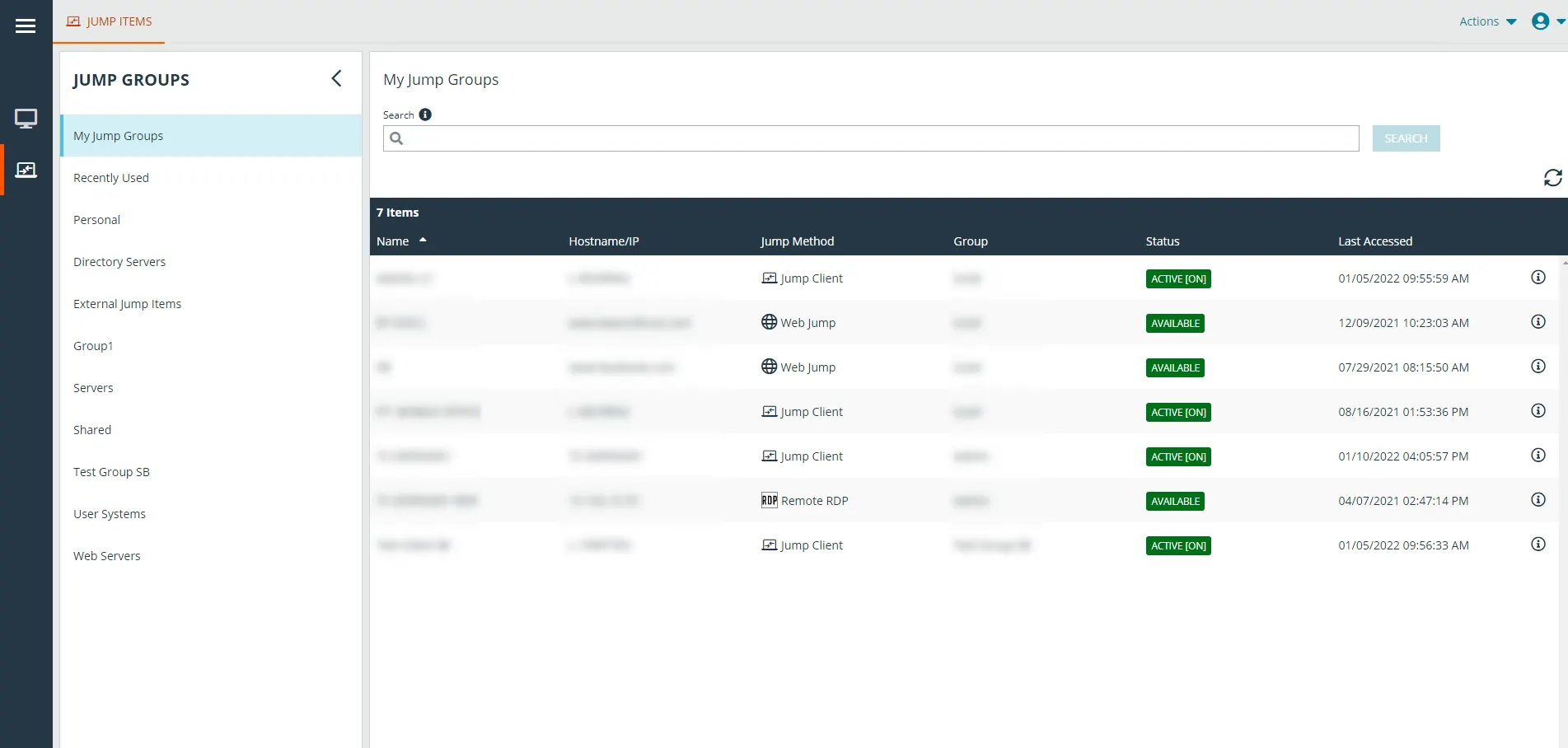
BeyondTrust enables multiple remote protocols: RDP, SSH, Telnet, and our patented Jump Technology. Both the Access Console for privileged users and the endpoint application run seamlessly across operating systems including Windows, Mac, Linux, Network Devices, Android, and iOS.
This wide compatibility centralizes remote session management. Each remote session produces detailed logs and video recordings. No data passes through a third party, and all session data is guarded by SSL encryption.