Privileged Remote Access 22.1 Introduces New Features to Better Secure Your IT/OT Environments


Privileged Remote Access 22.1 Introduces New Features to Better Secure Your IT/OT Environments
BeyondTrust has just launched version 22.1 of our market-leading Privileged Remote Access solution, which empowers IT/OT teams to secure and audit remote access for authorized employees, contractors, and vendors. The solution enables organizations to enforce least privilege, exert granular control and visibility, and layer on advanced credential security over remote access.
Here’s a Look at What’s New
Below is a brief round-up version 22.1 release highlights. For more information, you can also check out the release notes.
Integrations
External Endpoint Search - Password Safe Integration
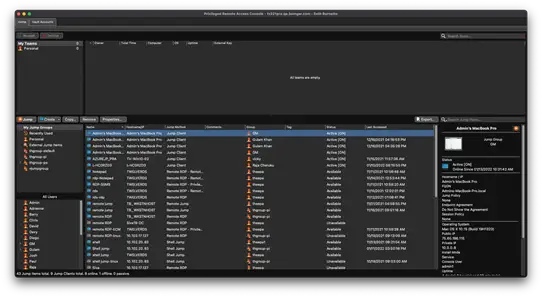
New integration with our leading enterprise credential management solution allows users to search for and remotely access Password Safe Managed RDP and shell systems that are accessible with a Jumpoint.
Password Safe and Privileged Remote Access work together to mitigate the risks associated with credential theft or misuse, and unsecure remote access. The solution introduces unmatched visibility and control over your most sensitive assets, eliminating dangerous attack vectors.
Features
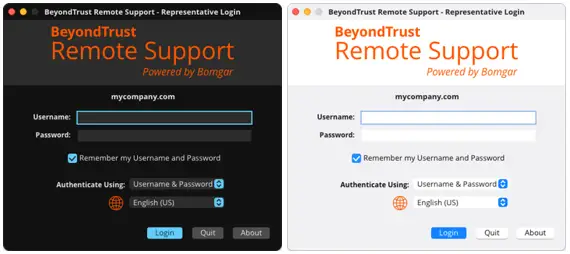
Dark Mode – Desktop Access Console
Our most requested feature has become a reality! Users can now select Dark Mode in the desktop console, letting those who prefer to avoid bright screens and reduce eye strain.
In Dark Mode, our solution uses a darker color palette for all screens, views, menus, and controls, and it creates more vibrancy to make foreground content stand out against the darker backgrounds. Dark Mode supports all features of the product.
Functionalities
Vault - Service Account Management
Vault can now discover and import Windows service accounts for management. Administrators can leverage this new discovery functionality to gain visibility into the service accounts in the domains managed by Vault, as well as the descriptions and associated services for the accounts.
Service accounts are a special type of non-human (machine) privileged account. They are used to execute applications and run automated services, virtual machine instances, and other processes. Service accounts can be privileged local or domain accounts, and in some cases, they may have domain administrative privileges. This high level of privilege facilitates the smooth operation of many IT workflows. However, a single service account can easily be referenced in many applications or processes. This interconnection, along with the critical nature of their usage, makes them difficult to manage. Vault’s new functionality within our Privileged Remote Access product makes service account management more efficient.
Additional Enhancements
Jump Item Association
Administrators can now limit the credentials available for injection in a Jump session by associating Vault accounts and Vault account groups with Jump Items. Associations can be direct or dynamic, with the help of match criteria based on Jump Item properties.
Vault – Scheduled Discovery
The Vault administrator can define a preset day and time to automatically run Vault domain discovery jobs. This feature can provide continuous visibility for administrators regarding domain accounts, endpoints, and local accounts associated with discovery jobs. Accounts and endpoints found in the new discovery job can then be imported into Vault for management.
Vault – Account Policies
Vault account policies can be assigned to Vault accounts or Vault account groups, providing administrators with additional granularity regarding Vault account settings. Vault account policies can define whether the account is included in scheduled password rotation, the account’s maximum password age, automatic rotation after check-in, and whether the account is available for simultaneous checkout.
New Compatibilities
Windows 11 Support
Privileged Remote Access fully supports Windows 11 systems. Windows 11 is now available through a free upgrade for eligible Windows 10 PCs and on new PCs.
macOS Monterey Support
BeyondTrust has supported Mac OS X since 2007, and, unlike other Secure Remote Access solutions that stop with basic support, BeyondTrust offers largely the same functionality for Mac as it does for Windows. Privileged Remote Access now fully supports macOS Monterey systems.
Nutanix Support
Base Software 6.1.1+ adds support for the Nutanix hypervisors for virtual appliance deployment. Please see the deployment information for more details on requirements and sizing.
Privileged Remote Access – Next Steps
The new features and enhancements that have been introduces with version 22.1 broaden what’s already possible with BeyondTrust Privileged Remote Access.
Already a customer? - Here’s how to get started with the new release.
Ready to experience the most secure solution for enabling remote access to vendors and employees?