

BeyondTrust Endpoint Privilege Management for Windows & Mac Introduces New Integrations with VirusTotal, MFA & More

BeyondTrust Endpoint Privilege Management for Windows & Mac Introduces New Integrations with VirusTotal, MFA & More
The latest release of Endpoint Privilege Management delivers security enhancements for Windows and Mac, including MFA and VirusTotal integrations, Advanced Parent Tracking, and updates to user experience. Read on to learn more, or check out our "What’s New" document for more details:
What’s New in Endpoint Privilege Management for Windows & Mac
New Feature Highlights – Endpoint Privilege Management for Windows & Mac (all deployment options)
Multi-Factor Authentication Using Identity Providers
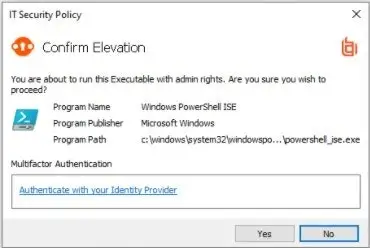
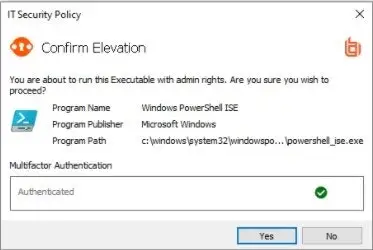
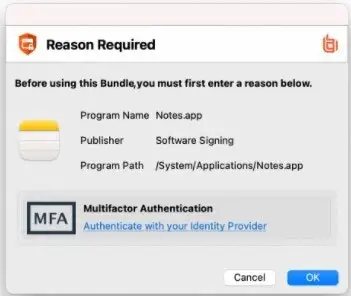
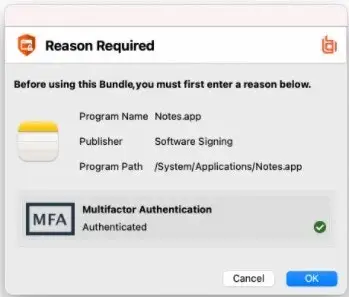
This feature for Windows and Mac introduces the ability to integrate End User Messages with any identity provider (IdP) that supports OpenID Connect (OIDC). As a more secure and more user-friendly alternative to using passwords, it brings the familiarity, simplicity, and flexibility usually associated with web-based identity products to Windows and Mac.
Adopting the widely used OIDC protocol means that customers can leverage their existing IdP infrastructure and apply multi-factor authentication (MFA) for users operating in higher flex roles, such as developers who need more privileges than other departments.
The MFA feature is highly configurable and can be combined with other existing types of authentications offered by BeyondTrust to ensure the usability is balanced with security. This feature is ideal as an added layer of security for privileged applications as well as sensitive and higher risk tasks, to ensure that the user is validated with an additional factor.
Advanced Parent Tracking
The newest version of Endpoint Privilege Management for Windows includes enhancements to Trusted Application Protection and Application Control, called Advanced Parent Tracking, which tracks use of COM and WMI as a method of creating child processes.
Malware increasingly uses surrogate processes like COM and WMI to spawn processes in a way that evades detection though Windows parent and child process hierarchies, and evades traditional App control and EDR solutions. With Advanced Parent Tracking, Endpoint Privilege Management for Windows detects this form of process creation and ensures that parent/child relationships are tracked through Trusted Application Protection and Pragmatic Application Control rules.
Allow Users to Check for Policy Updates
When a policy change is required to cater to the needs of one of your end users, a new feature in Endpoint Privilege Management for Windows & Mac gives those users a quick and easy way to force an immediate check for new policies, rather than having to wait for the next scheduled check. Found as a new option on the EPM systray icon, a single click is all that is required to ensure users are on the latest policy, which is vital for ongoing security and productivity.
The extra information provided to the service desk, including Client Version Number, Computer Name, and Last Updated, provides valuable information for diagnosing and fixing an issue on the user's machine.
Endpoint Privilege Management - New Feature Highlights for the Cloud
Reputation-Based Analytics
Whether you are reviewing the applications being installed and accessed by your users, handling exception requests, or performing security audits on your endpoint estate – reputation plays a vital role in establishing the risk associated with unknown apps and processes.
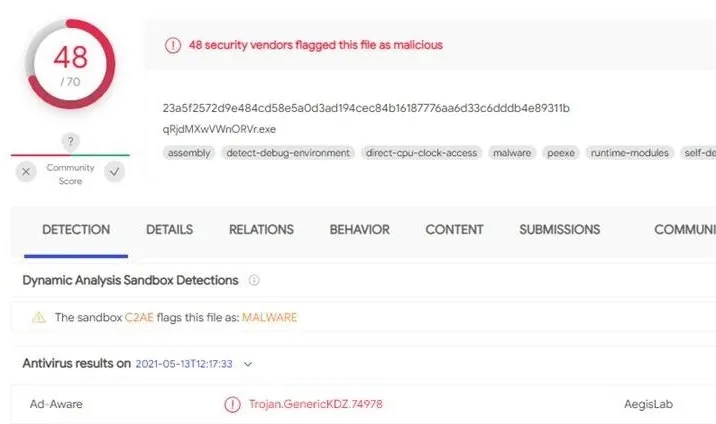
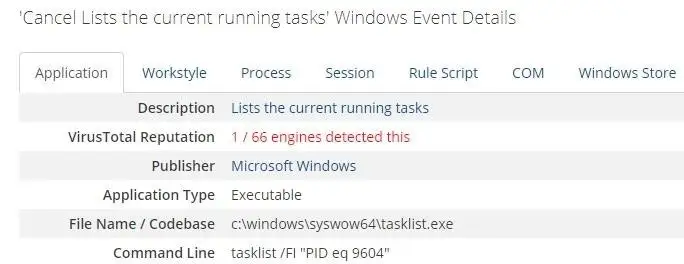
BeyondTrust Endpoint Privilege Management for Windows and Mac 21.4 introduces reputation into Analytics and Reporting, providing a simple and convenient method of checking for and validating the reputation of any application or process that has been audited on endpoints managed with Endpoint Privilege Management.
Leveraging the powerful VirusTotal database, this feature removes the burden of having to run manual checks on apps. Using your own VirusTotal Premium subscription, scores are pulled directly into the Endpoint Privilege Management Analytics platform, persisted alongside other application and environment metadata. This provides additional, valuable data points for faster and more secure decisions around whether to allow – or block – unknown apps, or exceptions that fall outside of your corporate policies.
The integration with VirusTotal brings new insights and information about application risk directly into Endpoint Privilege Management's analytics.
Web Policy Updates
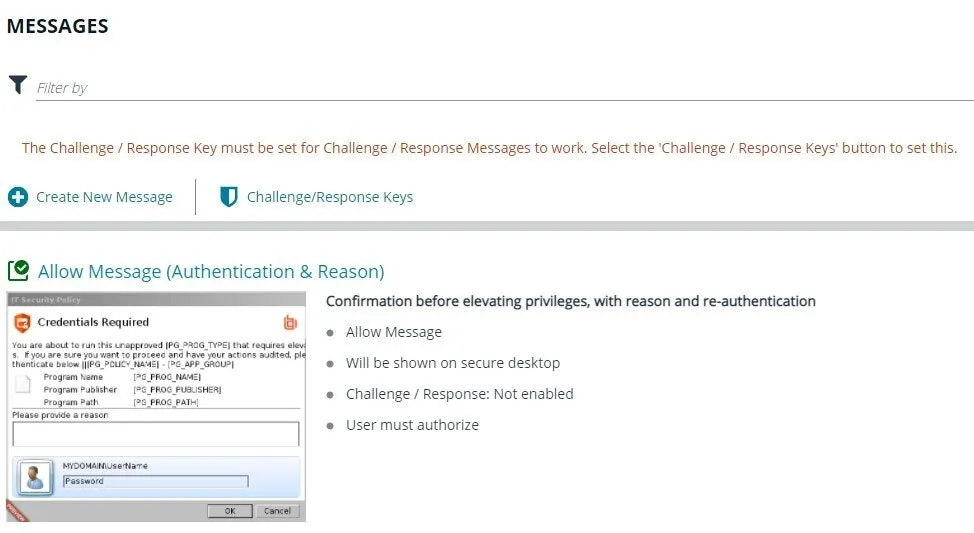
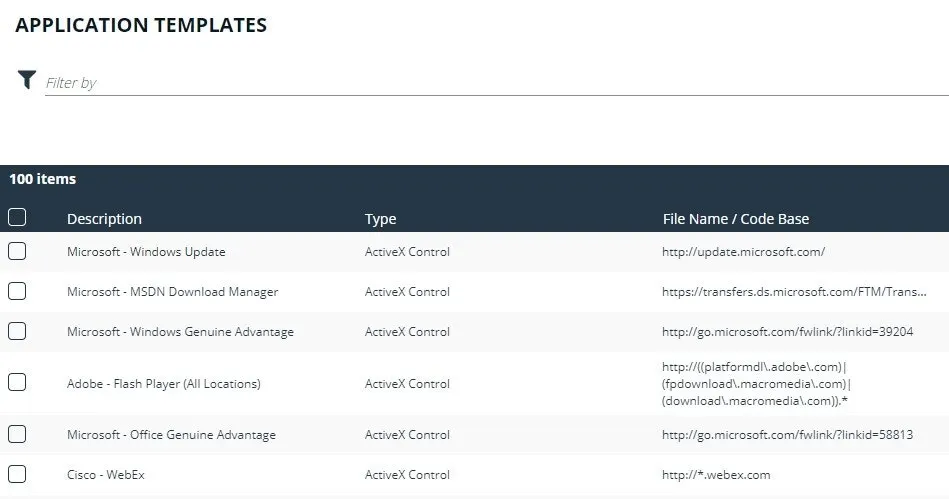
We are also delivering several updates with this release of Endpoint Privilege Management to enhance user experience, including:
The ability to create and add/delete your own messaging, allowing further personalization for end users
Updated Challenge/Response key configuration for easier setup and management
Added applications via template, making it easier to add new rules to policies
Export to CSV
It is important for administrators to be able to view, manage, and share data in a number of ways. Following the launch of the SIEM integration, we have added CSV export capabilities within the Endpoint Privilege Management console, making export of all data for subsequent manipulation and sharing easier than ever across Computers, Groups, Policies, Users, and Audit Activity.
About Endpoint Privilege Management for Windows & Mac
BeyondTrust Endpoint Privilege Management for Windows & Mac is a preventative endpoint security solution that removes excessive admin rights, applies pragmatic application control, enables passwordless administration, and gives users just enough privileges to do their jobs and be productive. Available on-premises or in the Cloud delivered as SaaS, the solution blocks malware and ransomware and protects against both external and internal threats.
Some benefits and key differentiators for BeyondTrust Endpoint Privilege Management include:
QuickStart Templates: Implement least privilege policies in days, not months - working effectively for every role and across Windows and Mac systems, with flexible, out-of-the-box workstyle templates
Trusted Application Protection: Stop attacks involving trusted applications, catching bad scripts and infected email attachments. Immediately stop trojan horses, fileless attacks, and more with pre-built templates.
Pragmatic Application Control: Get control over what users can install or run back into the safe hands of IT, with automated exception handling. This helps eliminate malware and ransomware threats.
Passwordless Administration: Perform administrative functions on an endpoint—without the need for privileged or administrator credentials. This eliminates the biggest and most prized attack vector sought by threat actors.
Open Integrations Framework: Utilize PowerShell scripts with Power Rules to automate workflows, create custom behaviors, or build integrations with ITSM solutions and other tools.
Enterprise Auditing and Reporting: Provide a single audit trail of all user activity to streamline forensics and simplify compliance, using graphical dashboards and reports for quick access.
To learn more about Endpoint Privilege Management, or to view a demo, visit:
https://www.beyondtrust.com/privilege-management/windows-mac